
Unfortunately, most website owners work on content writing and page creation for several months and simply wait for Google to notice their efforts. However, hoping is definitely not an effective approach. If you want to understand how Google sees your site, it requires actual data, and one should get it from the primary source.
In that case, Google Search Console for SEO might be extremely helpful for website owners. This is a free service offered by Google that tells you how your site looks like in search results, what queries drive visitors to your site, and what pages contain some issues. In this guide, you will get familiarized with Google Search Console for SEO in practical terms and will be able to use it even without any previous experience.
What is Google Search Console?
Google Search Console, also known as GSC, is a free online platform for monitoring your website in Google Search. Note that this service does not create any rankings for you. Instead, you get a set of valuable information here. It includes actual keywords that display your pages, clicks, pages that are already indexed by Google, and reasons for not indexing some pages.
Google Search Console for SEO might be compared with a medical report. The doctor will not guess what illness you might have. Instead, he or she runs different kinds of tests to understand what is the reason. You should do the same with your website.
How to Setup Google Search Console for Beginners
When looking at Google Search Console for beginners, there is one thing you should know: it is very easy to set it up.
- Log into Search Console using your Google account.
- Select “Add property”. “Domain” means that you will be tracking all variations of your website (http, https, www and non-www). “URL prefix” allows you to select just one web-address.
- Verification. The common ways are via DNS record, uploading HTML file, adding HTML meta tag or Google Analytics or Tag Manager account.
- Upload your sitemap. Click on “Sitemaps”, type your sitemap URL (for example, yourdomain.com/sitemap.xml) and click “Submit”.
Do not worry if the screens are initially empty, since data is going to come in after a couple of days. Setup Google Search Console for SEO takes less than fifteen minutes of your time and is worth every second spent.
Understanding the Performance Report
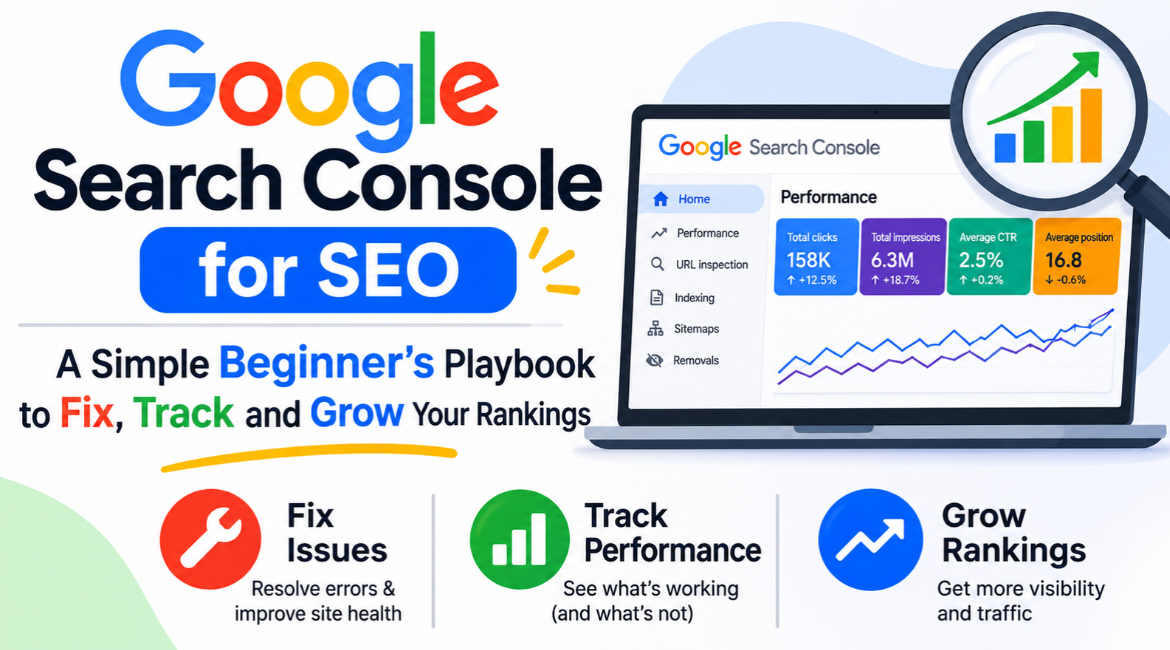
This is the report you are going to use most often. It gives you four important indicators:
- Clicks – number of times when your page was clicked from Google.
- Impressions – number of times when your page showed up in search results.
- CTR (click-through-rate) – clicks/number of impressions.
- Average position – average rank of your page.
With the help of the “Queries” tab, find out which keywords trigger your pages, and with the help of the “Pages” tab, find out which pages get the most attention. Filter by date, country or device to spot trends.
Google Search Console Features for SEO You Should Use
You don’t have to become an expert in all features overnight. But these are the things you really should use:
- URL Inspection: verifies if your page is indexed and allows requesting its indexing.
- Pages (indexing) report: gives you a list of indexed pages and reasons for others being not indexed.
- Sitemap: informs Google where you keep your important pages.
- Core Web Vitals: displays how quickly your pages are loaded and how stable they are for users.
- Links: allows finding out what websites refer to yours and which of your pages have the biggest number of links from within your website.
- Manual actions and security issues: warns you when Google finds something wrong with your site or penalizes it
Start with Performance and Pages and gradually add other reports as you get used to them. Even simple use of Google Search Console for SEO once a week will make you much better than many of your competitors who don’t analyze their data at all.
How to Improve SEO Using Google Search Console
Here is what we were waiting for! Let us see how you can work with Google Search Console to get better SEO results.
- First of all, find pages stuck on page two. In the Performance report, filter by Average position between 8 and 20. It means your pages are almost at the first page. Fix these pages improving the content, adding internal links and updating outdated information.
- Improve low CTR pages. When a page has many impressions, but very few clicks, it means your title or meta description is too vague. Make it clear and specific.
- Fix indexing issues. Go to Pages report, and see the reasons for “Not indexed”. Typical issues include no index tags, duplicate pages, redirects and soft 404 error.
- Request indexing for your new pages. When you publish a new post, type it into the URL Inspection and request indexing.
- Improve Core Web Vitals. Minimize image sizes, get rid of unnecessary scripts and use quality hosting.
- Find topics for future posts. Look through queries in which you appear with a low number of impressions, these are topics that require their own posts.
- Strengthen internal links. Connect related posts so both users and Google can move through your site easily.
These seven easy steps will help you improve your SEO without spending a lot of money on other tools.
Google Search Console for Digital Marketing Teams
The marketers love dashboard tools, yet not many can offer such transparency as this one. The main value of Google Search Console for digital marketing is visibility. It allows us to determine what content attracts attention and which campaigns should be supported more. The thing is especially useful in digital marketing, as tools can generate content very quickly, while search results tell if there was some real value.
Also, it helps in niche sectors. Let’s say that your business website tells people what is B2B. Search Console allows determining if users can find this page, what kind of queries they use to find it and whether they click on it. Such use of Google Search Console for SEO allows us to make decisions based on reliable information.
Using Search Console for AEO and GEO
Google Search is constantly evolving. Nowadays users receive direct answers to their questions, thanks to featured snippets, voice assistants and AI-generated summaries. Answer Engine Optimization (AEO) and Generative Engine Optimization (GEO) focus on creating understandable, quotable and reliable content. Search Console can help in this task too.
- Find out questions asked in the format (how, what, why, can) using the Queries report.
- Answer each question with two to three sentences near the top of the page and provide more information below.
- Include an FAQ section and apply relevant schema markup, if needed.
- Make sure that your pages are fast, crawlable and indexed. No matter how good the page is, no answer engine will use it if Google cannot index it.
Pages which are structured correctly and have good indexing stand higher chances of selection. Therefore, Google Search Console for SEO is a great place to start for AEO and GEO tasks.
Common Mistakes Beginners Make
- Checking your data every day and making adjustments to the strategy according to the tiny shifts. Consider the trends of weeks, not hours.
- Ignoring the Pages report and believing that all the pages are indexed.
- Prioritizing gaining impressions instead of clicking through rate.
- Checking only one version of the website.
- Failing to check the data once again after the website redesign or migration.
By doing so, you’ll be able to increase the efficiency of Google Search Console for SEO considerably.
How Websyntra Can Help
Interpreting the data is one thing and using the data is another one. And that’s the job for Websyntra. Websyntra is a digital agency which provides businesses with help in developing websites, SEO optimization, content marketing, and performance marketing. The Websyntra team is ready to help you to set up the Search Console, do technical audit, fix the issues of indexing and speed, and produce content based on correct queries for your audience. If you’re interested in professional help with Google Search Console for SEO or with a complete growth strategy, you may address the Websyntra team.
Conclusion
No particular software will give you the data about the performance of your website. It is enough to create your property, submit your sitemap, analyze the Performance and Pages reports weekly and make decisions based on that information. Google Search Console for SEO needs patience. Start small, learn how to analyze the reports step by step and use data when producing content.
Frequently Asked Questions
Q.1 How do I use Google Search Console for SEO?
I use it to monitor search clicks, impressions, ranks and indexing and to find technical issues that prevent your pages from appearing on Google. Google Search Console for SEO is an indirect report card from Google.
Q.2 Is Google Search Console free to use?
Yes. Google Search Console for SEO does not cost anything. All you need is a Google account and a verified website.
Q.3 When can I expect to get the first numbers?
Two to three days are typically needed to see the first numbers. Several weeks are required for trends.
Q.4 What is the difference between Google Search Console and Google Analytics?
Google Search Console presents what happens prior to click, i.e., how users find your pages in Google. Google Analytics presents what happens after click, i.e., how visitors interact with your website. Combining them will present the full picture.
Q.5 Can Google Search Console be used for AEO and GEO optimization?
Yes. It displays the keyword based queries searched by users and indicates the indexation status of your pages. These factors are crucial for getting into answer boxes and AI results.
Q.6 How frequently should I check my Google Search Console for SEO?
Once a week is fine for the majority of websites. Additional checks after significant changes are required as well.